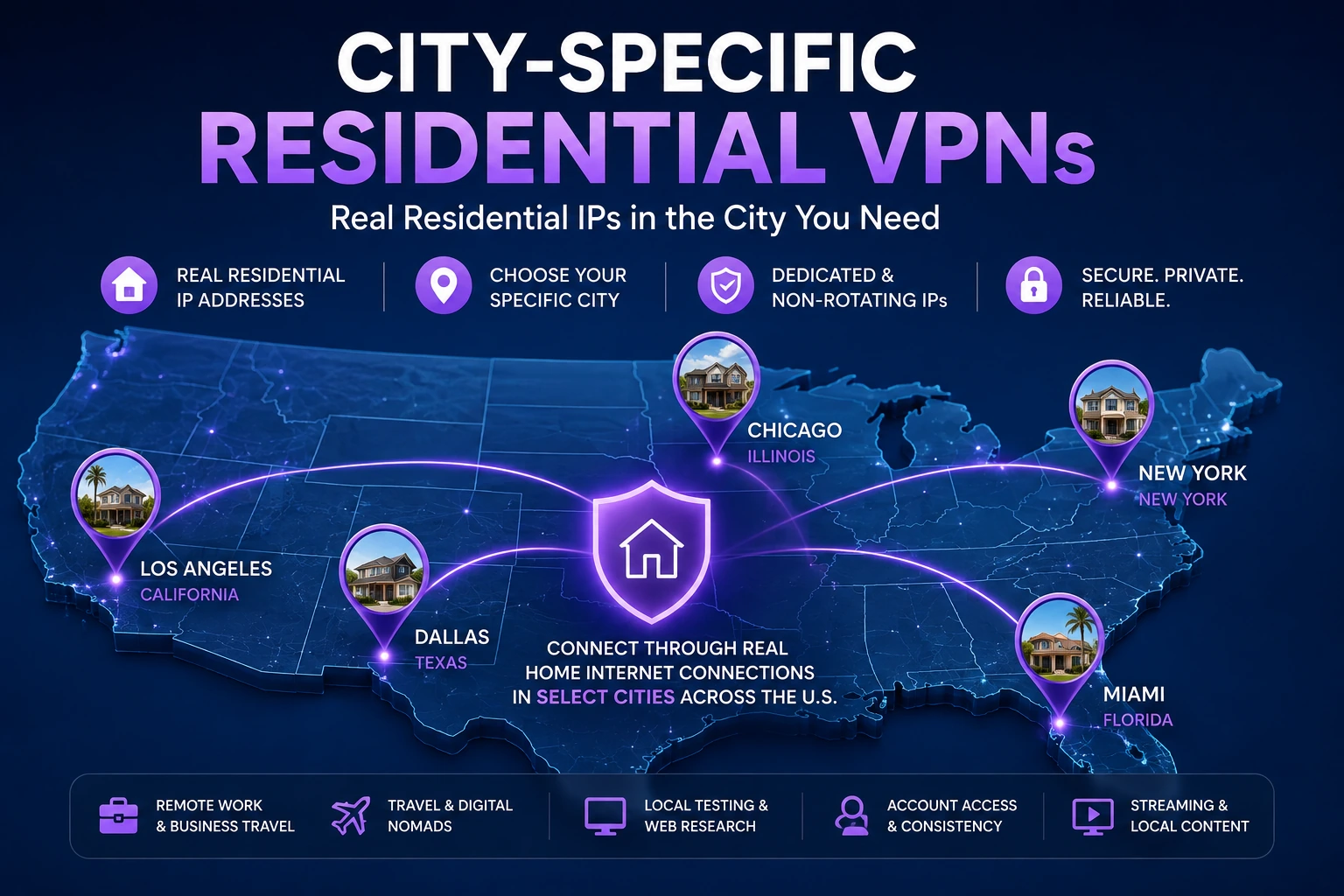
City-Specific Residential VPNs: Get a Real Residential IP in the City You Need
Most VPN services let you choose a country. Some let you choose a state or a major metropolitan area.
But what if you specifically need an internet connection from Miami, Dallas, New York, Los Angeles, Chicago, or another particular city?
That is where a city-specific residential VPN becomes useful.
Instead of simply giving you a generic U.S. VPN server, OurVPNs lets customers choose from available residential locations and route their connection through a real residential internet connection in the selected area.
This gives you something substantially different from simply clicking “United States” in a traditional VPN application: a dedicated, non-rotating residential IP address tied to an actual residential ISP connection in the location you selected.
What Is a City-Specific Residential VPN?
A city-specific residential VPN routes your internet traffic through a residential internet connection located in a particular city or metropolitan area.
For example, rather than connecting to a generic United States server, you might select an available residential connection in:
Miami, Florida
Dallas, Texas
Los Angeles, California
New York, New York
Chicago, Illinois
Or another available city
Websites and online services then see the public IP address associated with that residential connection instead of the public IP address of the network you are currently using.
However, there is an important distinction:
A VPN server located in a city is not necessarily a residential VPN in that city.
Many traditional VPN providers advertise servers in specific cities while operating those servers from commercial data centers.
A residential VPN instead uses an IP address associated with a residential Internet Service Provider.
If you want a deeper explanation of the difference, read our guide to residential VPNs.
Residential IP vs. Regular VPN IP
A traditional VPN normally routes your traffic through servers hosted in data centers.
Those servers can be excellent for encryption, privacy, changing your public IP address and general internet use. However, the IP address itself may be associated with a hosting company, cloud provider or commercial VPN infrastructure.
A residential VPN works differently.
The exit connection is provided through residential ISP infrastructure, so the resulting public IP is associated with residential internet service rather than a conventional data center.
With OurVPNs, available connections are designed around real residential ISP connections with dedicated, non-rotating IP addresses.
That combination matters:
Residential describes the type of internet connection.
Dedicated means the IP is not being simultaneously shared among a large pool of unrelated VPN customers.
Non-rotating means the IP is designed to remain consistent rather than automatically changing every few minutes.
And city-specific gives you considerably more control over where that residential connection is located.
Why Would Someone Need a Residential VPN in a Specific City?
Sometimes having an IP address somewhere in the United States isn't specific enough.
Different users may need a particular state, metropolitan area or city for completely different reasons.
Here are some of the most common use cases.
Remote Work and Business Travel
Remote workers increasingly move between homes, hotels, Airbnbs, airports, coworking spaces and different countries.
Every new network normally means a different public IP address.
A city-specific residential VPN provides a way to maintain a consistent residential internet location while moving between those networks.
For example, someone who normally needs an internet presence in Dallas could connect through an available Dallas residential connection while traveling.
This can be useful for authorized access to:
Company resources
SaaS applications
Remote desktops
Development environments
Business portals
Cloud applications
Other location-sensitive services
Organizations can have specific policies regarding remote work, VPNs and travel, so users should always follow the requirements that apply to them.
Travelers and Digital Nomads
Frequent travelers can change internet connections constantly.
A single trip might involve:
Hotel Wi-Fi → airport Wi-Fi → mobile hotspot → Airbnb → coworking space.
Each connection can have a completely different public IP address, ISP and approximate location.
Instead, a traveler can connect through the same dedicated residential VPN location while moving between networks.
For many travelers, the benefit isn't simply changing location.
It's consistency.
If you want to understand why changing your IP address doesn't necessarily change every location signal produced by a computer, see our guide on how to hide or control laptop location on Windows and Mac.
A Consistent IP Address for Your Accounts
Many conventional VPN services use large pools of shared IP addresses.
You might connect using one IP today and receive a completely different one tomorrow.
A dedicated residential connection can provide considerably more consistency.
This can be helpful with authorized accounts and online services where constantly changing between unrelated IP addresses, ISPs and distant locations creates unnecessary friction.
A stable IP does not guarantee that a website will never request MFA, identity verification or another security check. Websites can evaluate many different signals beyond your IP address.
The advantage is simply that your public internet connection doesn't have to change every time you reconnect.
Local Website and App Testing
City-specific residential VPNs can also be valuable to businesses, developers, website owners and marketing teams.
Imagine managing a website from another state while trying to understand what an actual residential internet user in Miami sees.
Connecting through a Miami residential IP can provide a more realistic local network perspective.
Possible applications include:
Local website testing
Location-based application testing
Local search research
Advertising campaign verification
Localization testing
Regional pricing research
Website availability checks
City-specific promotion testing
Location-dependent content testing
For companies working across several markets, being able to test through a real residential IP in a specific city can be much more useful than simply selecting a generic U.S. data-center server.
Local Search and SEO Research
Search engines can personalize or localize some results according to location.
That creates another useful application for city-specific residential IPs: local SEO research.
A marketing company working with a business in another city may want to compare what users in different markets see.
For example, a team could research:
Local search results
Competitor visibility
Regional landing pages
Location-dependent website experiences
Local advertising
Search result differences between cities
A VPN should not be considered a perfect simulation of every local user because search engines can use signals beyond IP location, but a city-specific residential connection can still be a useful research tool.
Accessing Local Services While Traveling
Many websites adjust their experience according to a visitor's approximate location.
Depending on the service, location may influence:
Local news
Regional websites
Store availability
Delivery options
Advertisements
Search results
Local information
Regional content
A residential connection in the area you need can help maintain a regional internet presence while traveling.
Access always remains subject to the individual service's rules, account requirements and terms.
Residential VPNs for Streaming and Regional Content
Streaming platforms and broadcasters often distribute content according to geographic licensing agreements.
For travelers who already subscribe to a service, a VPN may sometimes be useful when accessing services while away from their normal location.
However, every streaming platform has its own policies and location-detection systems.
OurVPNs does not guarantee that a particular streaming service will work through a VPN, and users should follow the applicable service terms.
City-Specific Residential VPN vs. Traditional City VPN
This distinction is one of the most important things to understand when shopping for a VPN.
Traditional City VPN
A conventional VPN offering city selection may:
Use data-center IP addresses
Share IP addresses among many customers
Move users between different servers
Provide large numbers of server locations
Be excellent for everyday VPN privacy and encryption
City-Specific Residential VPN
A residential service may instead provide:
A real residential ISP connection
A residential public IP address
A dedicated IP
A non-rotating IP
A more specific available geographic location
A network identity that more closely resembles ordinary residential internet at the IP level
Neither approach is automatically better for every user.
The right choice depends on what you actually need.
If your primary concern is inexpensive general-purpose VPN privacy, a traditional VPN may be perfectly adequate.
If you specifically need a stable residential IP in a particular location, a city-specific residential VPN provides a fundamentally different service.
Dedicated IP vs. Residential IP
These terms are frequently confused.
They are not the same thing.
A dedicated IP means an IP address is assigned specifically to you rather than being simultaneously shared with many unrelated customers.
A residential IP means that the IP address belongs to residential internet infrastructure.
A VPN company can therefore sell a dedicated IP that is still hosted inside a commercial data center.
Likewise, a residential service can provide rotating residential addresses that change constantly.
A dedicated residential IP combines both characteristics.
OurVPNs focuses on dedicated, non-rotating residential connections in available locations.
Static and Non-Rotating Residential VPN IPs
Some residential IP services are designed around enormous rotating proxy pools.
Those products can be useful for certain business applications, but they solve a different problem.
If you're a traveler, remote worker or individual user who wants a familiar internet connection, constantly receiving a new IP address may defeat the purpose.
A non-rotating residential VPN is designed around consistency.
Your residential connection remains associated with the same public IP instead of intentionally changing addresses during normal use.
Can a VPN Give You an IP Address in a Specific City?
Yes — as long as the provider actually has an endpoint available in that location.
This is an important limitation.
A VPN cannot realistically provide residential service in every city simply by changing a setting in software. Actual residential infrastructure needs to exist in or near the area being offered.
OurVPNs takes a location-focused approach.
Customers select from our currently available residential locations, allowing them to choose the city or region that best matches their requirements.
If the location you need isn't currently available, contact us with the city, state and ZIP code you are interested in.
Demand helps us identify where additional residential locations may be useful.
Can I Choose an Exact ZIP Code?
Sometimes location requirements are even more specific than a city.
However, public IP geolocation is not the same as GPS.
IP-location databases maintained by different companies can sometimes disagree about the precise city, ZIP code or coordinates associated with the same IP address.
For this reason, no responsible VPN provider should guarantee that every website will identify an IP as belonging to one exact street or ZIP code.
If you require a particular:
City
State
Metropolitan area
ISP
Or other connection characteristic
contact OurVPNs before ordering so current availability can be reviewed.
Does a Residential VPN Change My GPS Location?
No.
A VPN primarily changes the public IP address that websites see and routes internet traffic through the VPN connection.
Modern computers, phones, browsers and apps can potentially determine location using other signals, including:
GPS
Wi-Fi positioning
Cellular networks
Browser location permission
Operating-system location services
Account history
Nearby networks
This is why changing your VPN location and changing your device location are two separate topics.
Our Windows and Mac laptop location guide explains these differences in more detail.
Using WireGuard With a Residential VPN
WireGuard has become a popular VPN protocol because of its lightweight design and strong performance.
It is supported by a wide range of computers, phones and travel routers.
This makes WireGuard particularly useful for people who want to use a residential VPN while traveling.
Instead of installing VPN software independently on every device, compatible travel routers can also establish the VPN connection and allow authorized devices connected through the router to use it.
If you're setting up WireGuard for the first time, follow our complete WireGuard setup guide.
Using a Residential VPN With a Travel Router
A travel router can be especially convenient for frequent travelers.
The basic concept is:
Your devices → Travel router → Encrypted VPN connection → Residential internet location → Internet
That allows devices connected to the travel router to use the residential VPN connection without configuring each device separately.
This can be convenient for:
Laptops
Tablets
Phones
Streaming devices
Work devices where permitted
Other compatible equipment
It also means you can move from one hotel or Airbnb connection to another while keeping the VPN configuration on your own router.
What Should You Look for in a City-Specific Residential VPN?
Don't select a VPN only because it advertises hundreds of locations.
Ask what type of connection you are actually receiving.
Important factors include:
Real residential ISP IP address
City-level location availability
Dedicated IP assignment
Non-rotating IP availability
Reliable residential internet connection
Good download and upload performance
WireGuard or other modern protocols
Travel-router compatibility
Clear location information
Responsive support
And remember the key distinction:
A VPN server physically located in Miami and a residential internet connection in Miami are not necessarily the same product.
City-Specific Residential VPN Locations From OurVPNs
OurVPNs was built around customers who need more location precision and connection consistency than a conventional shared VPN may provide.
Instead of simply selecting “United States,” customers can choose from our available residential VPN locations.
Depending on current availability, you can select a residential connection near the city or region you actually need.
Our residential network continues to expand as additional locations become available.
Need a Residential VPN in a Particular City?
If you are looking for something specific — for example:
Residential VPN in Miami
Residential VPN in Dallas
Residential VPN in New York
Residential VPN in Los Angeles
Residential VPN in Chicago
Florida residential IP
Texas residential IP
California residential IP
Dedicated residential IP in a specific city
Static residential VPN location
check our currently available locations or contact OurVPNs.
If you don't see your city, send us the:
City
State
ZIP code, if relevant
We'll let you know whether an appropriate residential location is currently available.
Frequently Asked Questions
What is a city-specific residential VPN?
A city-specific residential VPN routes your internet connection through residential ISP infrastructure in a selected available city or metropolitan area instead of simply providing a generic country-level VPN location.
Can I get a residential IP in a specific city?
Yes, when a residential endpoint is available in that area. Availability depends on the provider's actual residential network.
Is a residential IP better than a data-center IP?
It depends on what you need. Traditional data-center VPNs are excellent for general privacy and encryption. Residential IPs are particularly useful when residential ISP classification, location precision or a consistent residential connection matters.
Is a dedicated IP the same as a residential IP?
No. A dedicated IP describes who uses the address. Residential describes the network the address belongs to. A dedicated residential IP provides both characteristics.
Does my residential VPN IP stay the same?
That depends on the provider. Some residential services intentionally rotate IP addresses. OurVPNs provides dedicated, non-rotating residential connections in available locations.
Can I use a city-specific residential VPN while traveling?
Yes. Travel is one of the main use cases for a stable residential VPN. You can connect through your selected residential endpoint while using another authorized internet connection.
Can I use WireGuard?
OurVPNs supports modern VPN configurations including WireGuard. See our WireGuard setup guide for more information.
Does using a VPN change every location signal on my laptop?
No. VPNs primarily affect your internet connection and public IP. Read our guide to laptop location on Windows and Mac to understand the other signals devices can use.
Can I request a city that isn't currently listed?
Yes. Contact OurVPNs with the city and state you need. Availability isn't guaranteed, but location requests help identify areas where additional service may be valuable.
More Residential VPN Guides
If you're researching residential VPNs, these OurVPNs resources may also help:
Get a Residential VPN in the City You Need
You shouldn't have to settle for a generic United States VPN location when the actual city matters.
Whether you're looking for a stable residential connection for travel, remote work, local testing, business use, regional services, local SEO research or simply a consistent residential IP, OurVPNs provides city-focused residential VPN connections in available locations.
Check our available residential locations today.
If the city you need isn't currently listed, contact OurVPNs with your city, state and ZIP code so we can check availability.